
Connect & Pay
365 Retail MarketsFood & Drink
4.6915.00 Reviews
- Version
- 20.2604.0
- Installs
- 500.00K
- Age Rating
- Everyone
Screenshots
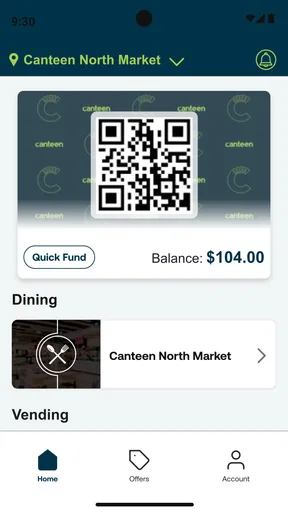
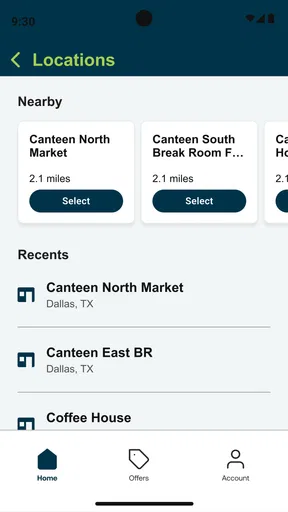
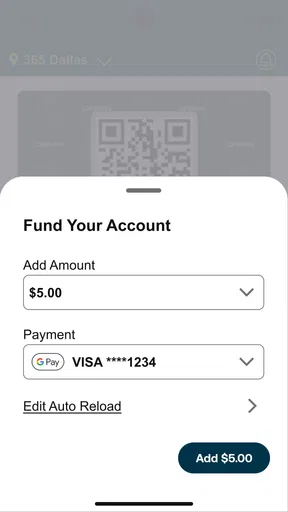
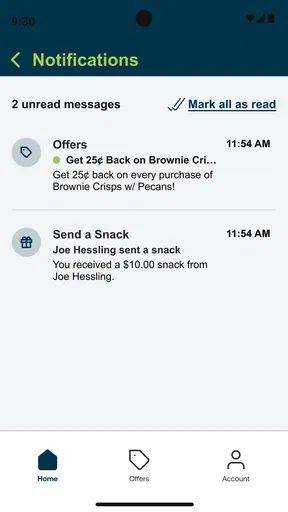
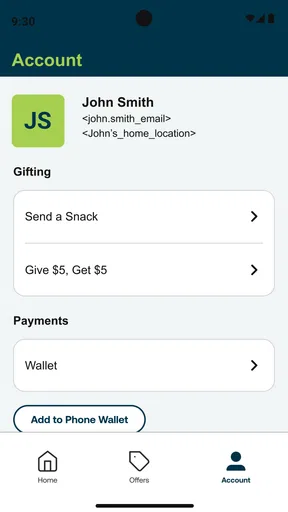
Our Review of Connect & Pay
 Analysis by Appyee
I first looked at Connect & Pay as a practical question rather than a novelty: would it actually make buying food at a Canteen location easier after the first few uses? My answer is cautiously positive. This free Food & Drink app from 365 Retail Markets is built around a very specific situation—shopping at a participating Canteen setup—so its value depends less on entertainment and more on whether it removes small points of friction from a routine purchase.
That narrow focus is important. This is not a restaurant-discovery service, a recipe app, or a general mobile wallet. It is meant to connect the user with Canteen’s purchasing experience and make payment more convenient. When the surrounding location supports the app properly, that focus can be useful. When it does not, there is little reason to keep opening it. I would recommend treating it as a tool for a repeated environment, not as an app you install simply because you like trying food services.
From the first week to a lasting habit
I see the move from trying Connect & Pay to keeping it as a habit as a question of fit: does the Canteen stop you use often enough, and does the app make that visit easier in practice? I’d give it a fair trial during ordinary breaks, then judge it by how smoothly it fits your routine rather than by one unusually good or frustrating purchase. Next, I’d look at what that routine feels like over time.
The first-week appeal is convenience, not entertainment
During the first week, the attraction is easy to understand. If I am working in a building, visiting a site, or spending time somewhere with a Canteen-operated food point, having a dedicated way to connect and pay can feel more direct than handling every purchase through the usual process. The app’s purpose is immediately readable, and the short store description, “Connect & Pay,” accurately points to its central job without pretending it is something broader.
That simplicity is one of its better qualities. I do not need to learn a complicated content system or spend time customizing a social profile. The useful question is simply whether the app helps me complete a food purchase with less interruption. For someone who buys from the same workplace or facility repeatedly, that can be enough to justify an installation.
The first few sessions are also when expectations need to be set correctly. The app cannot turn an unsupported vending or food-service location into a connected one. Its usefulness is tied to the Canteen environment around me, so I would check that the location is compatible before making it part of my routine. This is a practical distinction from ordinary payment apps, which may work across many unrelated merchants. Connect & Pay is more specialized, and that specialization is both its strength and its boundary.
I also like that the app is free and carries an Everyone content rating. Those details make it approachable for a broad audience, including people who are not especially comfortable experimenting with unfamiliar financial or shopping tools. Still, “free” should not be confused with “universally useful.” The real cost is attention: if I rarely use a Canteen location, the app may occupy space without returning much value.
A realistic everyday scenario
Imagine a weekday when I arrive at work without breakfast and have only a short break before a meeting. I walk to the available Canteen food point, use the app as intended, and complete the purchase without searching for cash or switching between several unrelated services. The benefit is not dramatic, but it is exactly the kind of small time saving that can matter when the same situation occurs repeatedly.
Now change the situation. I am visiting the building only once, the location is busy, and I am unsure whether the equipment supports the service. In that case, the normal payment method may be faster simply because I already understand it. Installing and setting up a specialized app for one snack is not automatically more convenient. My advice is to judge the app by repeated use, not by a single rushed purchase.
A less obvious advantage is consistency. When I use the same method at a familiar Canteen location, I spend less mental energy deciding how to pay each time. That matters for people who buy lunch during fixed breaks or use workplace food facilities several times a week. The app earns its place through repetition, much like a transit pass or a building-access tool: not because each individual use is remarkable, but because the routine becomes easier.
What changes after the novelty fades
After the first week, the question becomes whether the app remains helpful when I am no longer curious about it. In my experience, the answer depends on the pattern of use. A regular workplace customer has a clear reason to keep it installed. Someone who moves between different offices, campuses, or public locations may find that the benefit is too inconsistent to become a habit.
This is where Connect & Pay differs from broader alternatives. A bank wallet or general mobile payment service may be more useful across shops, cafés, transport, and online purchases. Paying directly with a card may also be simpler when the terminal already accepts it. On the other hand, a general wallet does not necessarily provide the same Canteen-focused connection, so the specialized app can make sense when the surrounding service is designed around it.
I would not replace a dependable general payment option with this app. I would use it alongside one. That approach reduces frustration if the app is unavailable, the location does not support the expected flow, or I am buying somewhere outside the Canteen network. The strongest long-term setup is therefore not “this app instead of everything else,” but “this app for the specific places where it saves me effort.”
Month-to-month value comes from repetition
Month-to-month value is strongest for people with a stable routine. If I regularly eat at a Canteen location, the app can become a quiet background utility. I open it when needed, complete the purchase, and move on. That kind of recurring usefulness is more convincing than a flashy launch experience because it addresses a repeated task rather than asking me to discover new content.
The app’s public reception suggests that many users find the basic idea worthwhile: it holds an average rating of 4.6 from around 6,200 ratings, with roughly 915 written reviews. I would read that as encouraging, but not as a guarantee that every location or payment situation will feel equally smooth. A rating summarizes many experiences; it cannot predict how well the app fits my particular workplace or facility.
Its reach is also substantial, with over 500,000 installs. That makes it easier to view as an established utility rather than an experiment with no audience. Even so, the number of installations does not remove the central trade-off: this is a location-dependent app. A large user base can coexist with limited personal value if I do not regularly shop through Canteen.
One useful way to decide is to track behavior rather than enthusiasm. If I use the service several times during an ordinary month and the app consistently reduces steps, it has earned its place. If I open it only to check whether a location works and then return to card payment, the general alternative is probably better for me. That is the honest test of lasting value.
Maintenance is light, but not invisible
The maintenance burden appears modest because the app has a focused purpose. I do not need to manage a large library of saved content or maintain a social feed. The main responsibility is keeping the app available when I expect to use it and making sure my account and payment setup remain usable. Those are ordinary tasks, but they still matter when I am standing in front of a machine with a short break.
The current version is 20.2604.0, and the app supports devices running Android 8.1 or later. That gives it compatibility with a broad range of Android phones, including some older devices. I still would not assume that an older phone will feel equally quick or reliable in every situation. Storage pressure, operating-system condition, network quality, and the specific Canteen equipment can all affect the experience even when the device meets the minimum requirement.
My practical maintenance advice is simple: install updates when convenient, avoid waiting until the moment of purchase to sign in or troubleshoot, and keep a backup payment method available. That last point is especially important. A specialized payment app should make a routine more resilient, not leave me unable to buy lunch when the app, phone, or connection behaves unexpectedly.
There is also a difference between technical maintenance and habit maintenance. If I stop visiting the relevant Canteen location, the app may remain installed long after its usefulness has ended. I would periodically ask whether I still use the service often enough to justify keeping it. Removing an app I no longer need is not a criticism; it is part of keeping a phone organized.
Where fatigue can set in
The first source of fatigue is repetition without a visible payoff. If each purchase feels no easier than using a card, the extra app layer becomes difficult to defend. Specialized tools need to save time or reduce uncertainty consistently. Occasional convenience is not always enough to overcome the effort of remembering another app.
A second source is context switching. I may already use a bank wallet, a workplace app, and several merchant services. Adding Connect & Pay can make sense at a Canteen location, but it also adds one more place to look when I am trying to pay quickly. This is why I see the app as complementary rather than universal. It should have a clearly defined role in my phone, or it risks becoming clutter.
A third issue is the gap between the app and the physical service. Even a well-designed payment flow cannot control a crowded food point, an unavailable item, a slow connection, or equipment that is not ready for use. Users sometimes blame the app for the entire purchasing experience, but the real friction may sit elsewhere. That does not make the frustration less real; it simply means expectations should remain practical.
There is also a trade-off between specialization and flexibility. A Canteen-centered app can be easier to understand within its intended setting, while a general wallet is more adaptable across merchants. I would choose Connect & Pay when my daily routine repeatedly intersects with Canteen. I would skip it when I want one payment solution for many unrelated places.
Who will get the most from it?
The best audience is someone who regularly buys food through a Canteen location and wants a dedicated connection-and-payment option. That includes workers with predictable breaks, people in buildings with limited food choices, and users who prefer not to handle a separate physical payment process whenever the app is supported.
It can also suit someone who values a simple, narrowly defined tool. There is no need to turn it into a lifestyle app or expect it to recommend meals, organize recipes, or replace a general wallet. Its usefulness is clearer when I treat it as part of a specific food-purchasing routine.
I would be less enthusiastic for travelers, occasional visitors, and people whose food purchases happen mainly in restaurants, supermarkets, or independent cafés. Those users may get more lasting value from their bank’s wallet or another broadly accepted payment method. Likewise, anyone who dislikes maintaining multiple payment apps should install this only after confirming that a Canteen location they use regularly supports the experience.
Small habits that improve the experience
My first tip is to prepare before the break rather than during it. If I know I will use a Canteen location, I would open the app at a calm moment and make sure I understand the basic flow. This turns the first real purchase into a routine instead of a troubleshooting session.
My second tip is to keep the app’s role narrow. I would not reach for it automatically at every food business. I would reserve it for the Canteen environments where it is relevant and use my normal wallet elsewhere. That mental rule reduces confusion and prevents the app from competing with tools that are better suited to general shopping.
My third tip is to judge it over several ordinary purchases, not one unusually smooth or frustrating session. A single successful payment can create false confidence, while one awkward attempt can be caused by the surrounding location. Looking for a repeated pattern gives me a fairer basis for deciding whether the app deserves permanent space.
Finally, I would keep a fallback method ready. This is not because the app is necessarily unreliable, but because payment convenience should include recovery. A card or general wallet gives me an alternative when I am in a hurry, using a different venue, or dealing with a phone that is not cooperating.
My long-term verdict
After the novelty fades, Connect & Pay earns lasting value only through regular Canteen use. It is a focused Food & Drink utility from 365 Retail Markets, available free of charge and suitable for Everyone, with a clear purpose rather than a large collection of distractions. I appreciate that directness, and the strong average rating and broad install base make it reasonable to try when the service fits my routine.
My recommendation is therefore conditional but clear. If I buy from Canteen repeatedly, I would keep it installed and give it a fair chance to become part of my normal break. If I visit such locations rarely, I would not expect enough recurring value to justify another payment app. A general wallet or direct card payment will usually be the better long-term choice in that case.
The app does not need to transform food shopping to be worthwhile. It needs to make a repeated purchase slightly easier, consistently enough that I stop thinking about the payment method. For the right user, that is a sensible and lasting benefit. For everyone else, its narrow scope is the reason to pass.
Verdict
Strengths of Connect & Pay
- Quickly connects with compatible payment terminals and devices.
- Supports convenient contactless payments without carrying a physical card.
- Clear transaction confirmations help verify successful payments.
- Useful for managing payments while traveling or on the go.
- Can reduce the need to handle cash or exchange physical cards.
Limitations of Connect & Pay
- Requires a compatible device, terminal, and supported payment provider.
- Payment availability may vary by country, bank, or merchant.
- NFC or Bluetooth may need to remain enabled for certain features.
- A weak internet or phone connection can interrupt payment setup.
- Some features may require account registration or identity verification.
Similar Picks in This Category
View All
Rappi: Food Delivery, Grocery
Rappi, Inc - Delivery3.5

McDonald’s: Cupons e Delivery
Arcos Dorados4.3

Swiggy: Food Instamart Dineout
Swiggy4.7

Blinkit: Groceries & more
Blinkit4.8

foodpanda: food & groceries
Foodpanda GmbH a subsidiary of Delivery Hero SE4.0

Zomato: Food Delivery & Dining
Zomato4.7
Frequently Asked Questions
What is Connect & Pay, and what can I use it for?
Connect & Pay is a mobile payment and account-management application designed to help users handle transactions from their smartphone. Depending on the services supported in your region, you may be able to connect a payment method, make purchases, review payment activity, manage linked accounts, and receive transaction updates. Available features can vary by country, provider, and the version of the app installed.
Is Connect & Pay safe to use for payments and personal information?
The app is intended to protect payment activity and account information through standard security measures such as account authentication, encrypted connections, and device-based verification where supported. However, no digital service is completely risk-free. Download Connect & Pay only from an official store, use a strong password or device lock, avoid sharing verification codes, and contact the provider immediately if you notice unfamiliar activity.
What do I need before I can start using Connect & Pay?
Before using Connect & Pay, you will generally need a compatible Android or iOS device, an active internet connection, and an account or service supported by the application. You may also be asked to verify your phone number, email address, identity, or payment method. Requirements can differ depending on your location, financial provider, and the features you want to access.
Does Connect & Pay charge fees for transactions or account usage?
Connect & Pay may be free to download, but that does not necessarily mean every transaction is free. Fees can depend on the payment method, merchant, bank, currency conversion, transfer type, or service provider connected to your account. Before confirming a payment, carefully check the displayed amount and any additional charges. The applicable terms may also change by region.
What should I do if a payment fails or I cannot access my Connect & Pay account?
If a payment fails, first check your internet connection, available balance, payment details, account status, and whether the merchant or service is supported. Avoid repeatedly submitting the same payment until you confirm whether the first attempt was processed. For login problems, use the in-app recovery options and verify your contact details. If the issue continues, contact official Connect & Pay support with the transaction information.
